Juten Tach,
I’m working quite a lot with HTML / CSS / JavaScript these days (wonder why …). Sometimes, you want to build a component completely through JavaScript. For example, you might want to build a component, that uses the canvas, where you draw things. That component has a JavaScript function object (some sort of class) and the canvas element.
Now, I thought, I would like to style this component with CSS. Problem is, since I am using a JavaScript / Canvas component, CSS cannot affect my drawing on the canvas, since this is done through JavaScript. Still, I would like to define things in CSS.
After digging a little bit, here is my solution (in a little example):
First, in my HTML page I have a simple canvas element with an id “myCanvas”. Since I am using jquery I use this little on ready function:
<script>
$(document).ready(function(){
var myComponent = new CanvasComponent($("myCanvas"));
});
</script>
OK, so this instantiates my JavaScript component object an passes it a reference to the respective canvas DOM element.
Next, I define the CSS, that I would like to have for my component. Note, I do not necessarily define css for the canvas element itself, but rather css for what I will do on the canvas. Sounds weird? Bear with me.
canvas-component {
background-color: #cacaca;
line-height: 2px;
}
Ok, let’s see. First of all, you notice, that the selector says “canvas-component”, which is not a known HTML tag. But that’s OK, because HTML5 allows for custom tags officially. Second, the style attributes are not meant to affect the canvas directly, as I already said. I declare styles, that I want to use later in my drawings on the canvas. There is a little downside: unfortunately you cannot define your own custom style attributes here, because the browsers will ignore them, so you have to use the best next existing attribute, that comes close semantically. For this little example, I just choose a background-color and a line-height.
Now all we have to do, is bring my JavaScript component and the style declaration together. I do this in the constructor of my JavaScript component object:
function CanvasComponent(canvas) {
this.canvasElement = canvas;
this.styleClass = null;
// Some IE use 'rules', other browsers mainly use 'cssRules', which is official
var allCSSRules =
document.styleSheets[0].cssRules
|| document.styleSheets[0].rules;
for(var i = 0; i < allCSSRules.length; i++) {
if(allCSSRules[i].selectorText == "canvas-component")
this.styleClass = allCSSRules[i].style;
}
alert("line-height: " + this.styleClass.getPropertyValue("line-height"));
}
So, as we can see, in document.styleSheets we have an Array of all the different embedded or loaded stylesheets. In my example, I have only one stylesheet declaration as an external file, that’s why I can use document.styleSheets[0]. Within the stylesheet, there a many rules, of which one is the rule, i have printed above. We have to find it manually, since the DOM API does not provide any functionality for that. So i go through all the rules and search for the selector “canvas-component”. If I find it, I save it. And now I can access the declarations via <code>getPropertyValue()</code>, for example. There are other functions as well, but this one is probably the most useful one.
Now that I can access the declaration, I can use them in my canvas drawings. For example, when drawing a line, I can now set the thickness of the line according to the line-height from my CSS, or if I draw some big background rectangle, I can use the background-color from CSS.
Well, that’s it, perhaps that comes in handy for you some time.
Juten Tach,
should you be scratching your head like i did, when trying to understand, how you would add an event listener to simple DOM elements in GWT, here’s how i do it currently:
Element myDOMElement = Document.get().getElementById("someDOMElement"); Event.setEventListener(myDOMElement, new EventListener() { @Override public void onBrowserEvent(Event event) { // TODO Do crazy stuff here } }); Event.sinkEvents(myDOMElement, Event.ONCLICK);
Note the last line here. Only once you’ve called sinkEvents(), do you really get the events for the particular event type(s).
I find this much more usable, than the nasty Event.addNativePreviewHandler() method, that they talk about in the GWT documentation, because you only get the event, you’re interested in.
In general it appears to me, that GWT is more geared towards using their components (or widgets), than working with the DOM directly.
Juten Tach,
another project just went online this week, in which i was involved: Drive and Seek – The Prologue. Together with Harald, who was the lead here, we were responsible for the development. I took special care of the interface to facebook and the customization features of the end video, in which you can put your own picture either by uploading one or via webcam.
It was a fun project, going for a about a month.
What did i learn? First of all, i have mixed feelings about robotlegs. I like the DI part, but i cannot get used to these top-down mvc structures, which seem to put too much emphasis on infrastructure and too little on conceptual entities. I have to admit, that robotlegs technically does not tell you how to structure your application, but the best practices documentation does promote the approach of using mediators, commands and so on and tying it all together via bunch of events. This sounds all nice in theory, in practice for me, it is too technical and does not reflect the individual, conceptual relations of the components and modules i like to build. But this is stuff for another post.
I do like the Facebook API, although its documentation leaves a lot to be desired. The JavaScript SDK is nice and after fighting with the Facebook ActionScript library initially (couldn’t get it to initialize reliably), i soon abandoned it and used the JavaScript SDK directly via ExternalInterface.
Juten Tach,
i was once again lucky enough to be able to build a fun little project. Brainbattle!
But how did it all start?
So, i occasionally give talks at the GoodSchool about technology, internet and so on. The GoodSchool is a school for new ways of communication. All things digital, social, web, etc. and it is targeted at people in the marketing world. They have lots of different events all over the year. One is “camp digital”. Seven days packed full of information, inspiration and, of course, fun things.
So, Christian from the GoodSchool this time gave me two brain sensor headsets from emotiv and asked me to build a little game with it. We decided to do a simple tug-of-war type of game.
So, how does it work?
So the setup is:
- Two emotiv epoc neuroheadsets (and their SDKs)
- Two PCs connected via a twisted Ethernet cable
- One Union Platform server (and the game control module build in Java)
- Two little client flash apps, which take the converted signals from the emotiv SDKs and send it to the server (along with game controls)
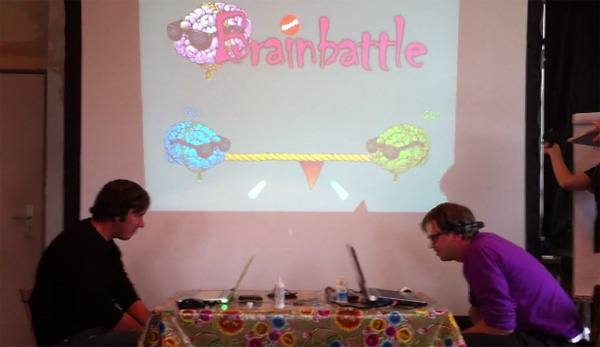
- One flash central Display app (seen in the pic above), that shows the game state.
OK, the headsets connect two their respective PC over the air via a dongle. These headsets basically read the electric signals from your brain. As you can see in the picture below, the headset has a bunch of sensors, which need to be wet (using a saline solution). The tricky part is, that the sensors ideally touch the skin, which means, you have to fight a bit with the hair of the user to get out of the way.
These signals are read from a software SDK. Part of that SDK is a “training” program. There you can basically train “actions”. Like pull, push, up, down, vanish, show and lots of others. So you train a certain action, like “pull”. For 8 seconds you think about “pull” and the programm records the signals of your brain during that time. Then if you think that thought again later, the software recognizes the pattern and knows, that you think “pull”.
Then there is a second little tool, called EmoKey. It is a simple converter. It converts an “action” into native Windows key events. So you define, that when the user thinks “pull”, it should emit a key event of the key “p”, for example. It can also do this continuously, lots of settings there.
So then i have a build a little client, which let’s you connect to the union server i have built, let the user click ready and also read those native key events. It then counts those incoming events per second and sends the result to server (every 500 ms).
The server (java) module takes those numbers from the two clients and calculates a force from it, being either positive or negative (depending on the numbers from client1 and client2). The server module of course also controls the various stages of the game, like client registering, game start, winning, and so on. The server is based on the union multiuser server, which is some nice piece of software and well documented. Its concept is around rooms and clients being in one or more rooms. The clients can send messages, set attributes on themselves or the rooms and so on. So i have created such a room, which has the game logic.
That game state is continuously send to the central flash display app, which is connected to the server as well (but only as an observer). It gets the force number and the game states and displays it.
So, that’s basically it. It took me about two and a half days to build it (and test it roughly). You can see a video of the game in action at facebook.
Juten Tach,
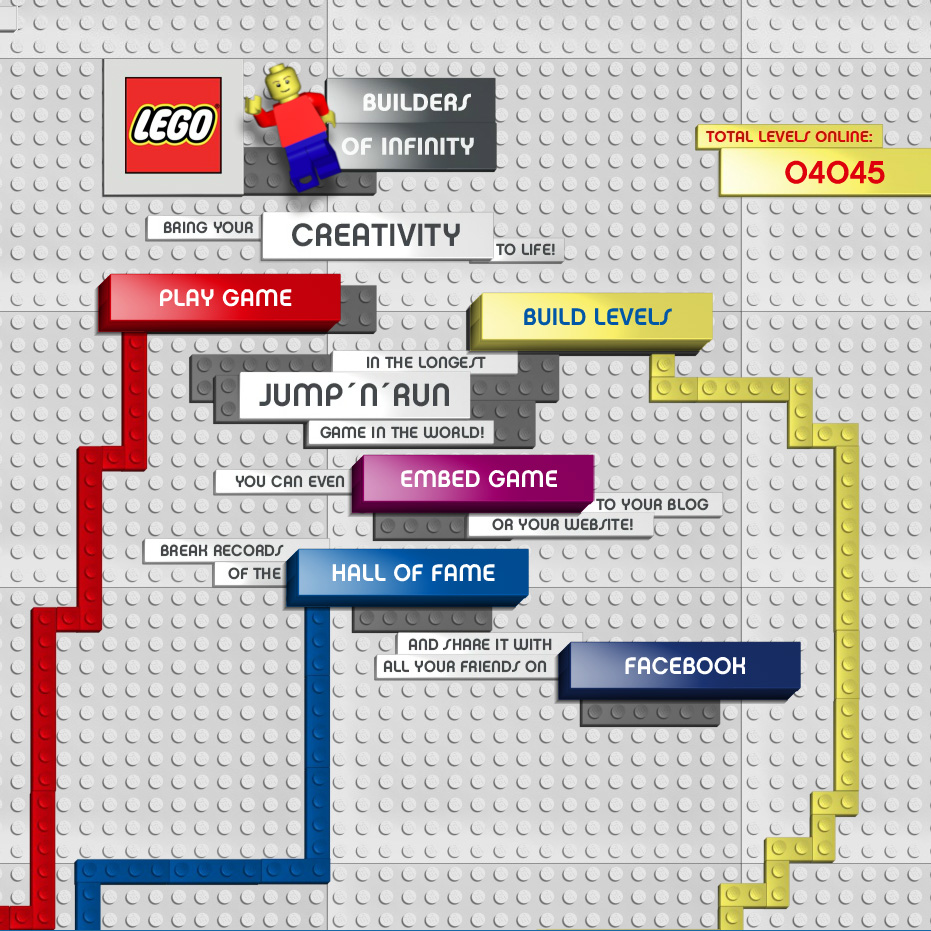
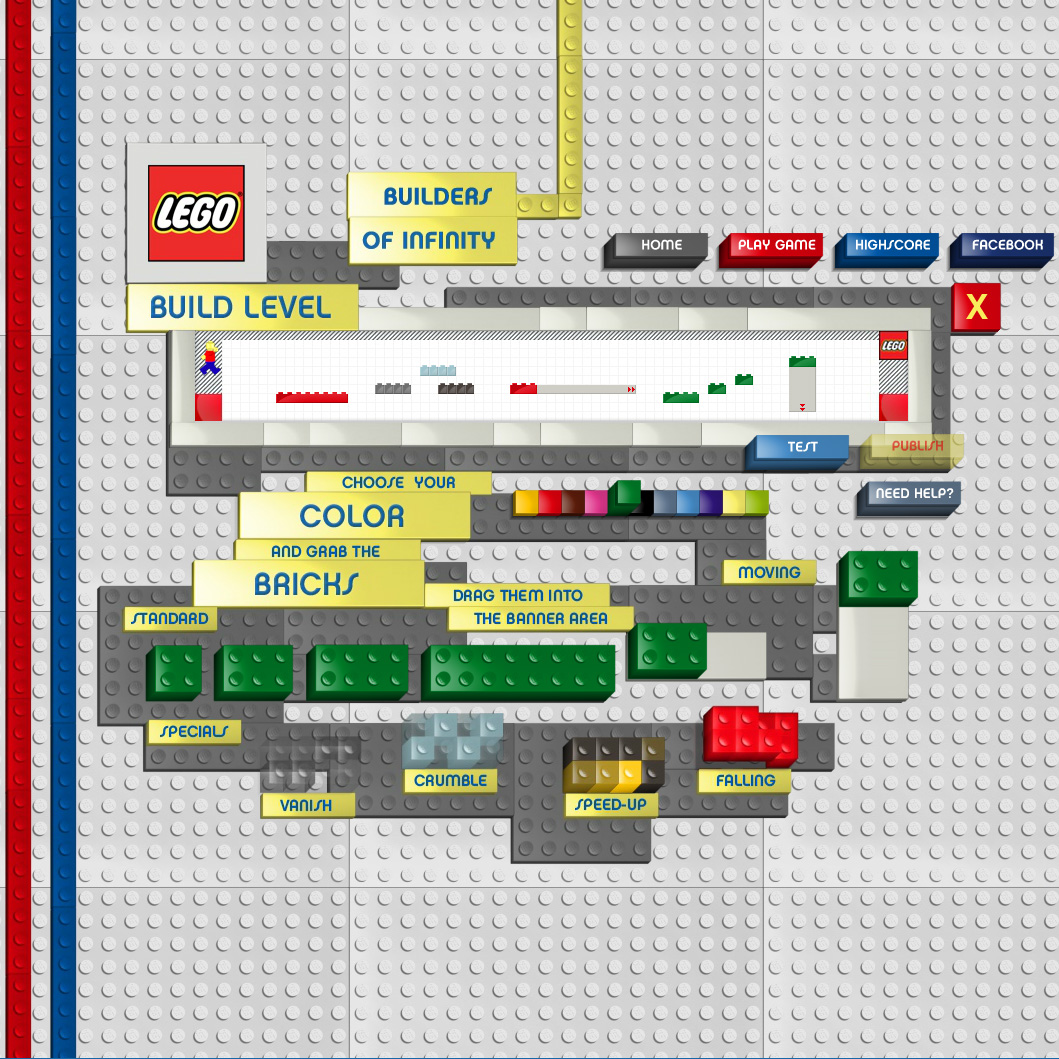
it doesn’t happen that often, that you work on a project for some time and finish it as smoothly as you started it. That happened to me while developing the jump ‘n run game Lego – builders of infinity. Working with the nice people at Plan.net here in hamburg, we just finished this project together (If you like it, you might want to express that with a vote?).
Update: Nice: Just got notified, that the project won a silver lion in Cannes!
Update 2: Double nice: FWA site of the day.
Update 3: Triple nice: Dope Award
This took roughly two months. It’s based on Flash Player 10 and uses the Box2d wck alchemy port. Its basically two apps: the game and the microsite. You can embed the game in your own website or blog, if you like.
The whole project consists of 103 ActionScript files (mostly classes) and around 6640 lines of code (no comments, no blanks, no libs).
The most challenging thing was, that Box2D has issues with letting boxes slide over a set of other boxes. From time to time, the box sticks at the edge from one underlying box to another, even if they are perfectly aligned. I first used the “normal” Box2D Flash port, but as it seems, there has not been a lot of development going on there, lately. So i switched to the Box2D wck alchemy port, which requires Flash Player 10. That port is more up to date with the original C implementation and thus can take advantage of some changes, which help fix the sliding issue. You can now cut off the corners of your boxes and thus let it slide over the corners of two adjacent boxes (which actually don’t exist, but as i said, box2d thinks they do exist). This trick does not work in the old “normal” Box2D Flash port.
Hope you enjoy the game.